
Temperature#
temperature loads air-temperature forcing and climate context. It feeds hydrological
preprocessing (PyHELP-style weather input) and gives seasonal context alongside recharge,
precipitation, and ETP forcing.
Accepted sources#
Source |
Use when |
Source page |
|---|---|---|
|
A local temperature raster, NetCDF file, or station chronicle is authoritative. |
|
|
SIM2 gridded air temperature should be retrieved over the project period. |
|
Minimal example#
[data.temperature]
date_start = "2000-01-01"
date_end = "2002-12-31"

[[data.temperature.sources]]
source = "sim2"
extent = "watershed"
All field definitions, types, and defaults live in the generated reference: [data] DataManagersConfig.
Loaded shape#
TemperatureManager (hydromodpy.data.variables.temperature.manager, in the
hydromodpy.data layer) returns one of two record shapes depending on the source:
custompointed at a directory of station files returns a list ofPointRecord: one entry per station, each carrying adatetime/valuetime series, a start and end date, and the resolved unit.custompointed at a single.ncor.tiffile, and everysim2source, returns a list ofFieldRecord: a gridded dataset over a bounding box and CRS, with the source period asdate_start/date_end.
Both shapes are converted to the internal unit degC before reaching downstream code,
whatever unit the source file declares or the SIM2 API returns.
Visual check#
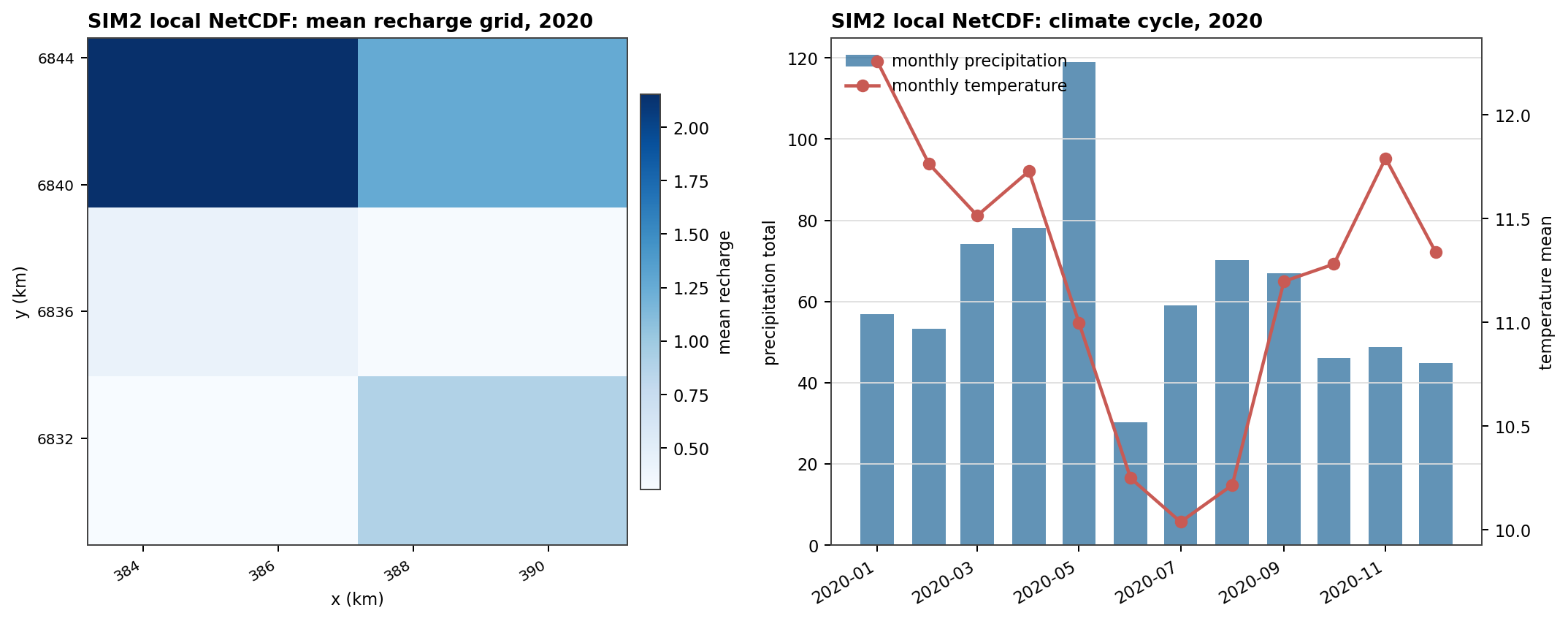
Fig. 85 Temperature is usually context or preprocessing input. The useful first diagnostic is therefore a period and seasonal-cycle check, not a solver result.#
Downstream uses#
weather preprocessing for PyHELP-driven hydrology (daily mean air temperature);
the shared forcing bridge used to combine recharge, precipitation, ETP, and temperature sources into homogeneous inputs;
climatic summaries and reporting alongside Recharge, Precipitation, and ETP.
Temperature Source: custom#
Use source = "custom" for local temperature fields or station series.
[[data.temperature.sources]]
source = "custom"
path = "data/temperature/temperature.nc"
source_unit = "degC"
The path field accepts either a directory of station
location and chronicle files, or a single .nc/.tif file; which one decides the loaded
shape described above.
Operational checks:
set source_unit when file metadata do not carry explicit units;
check period coverage, units, time zone assumptions for point data, and spatial support before using temperature in preprocessing or reporting;
mask_path can filter stations or clip a gridded source to a project mask;
station_ids restricts loading to an explicit station list when the source directory holds more stations than needed.
Temperature Source: sim2#
Use source = "sim2" to retrieve SIM2 temperature fields.
[[data.temperature.sources]]
source = "sim2"
extent = "watershed"
extent selects the bounding box used for the request: the delineated watershed, or the broader study area.
Operational checks:
the overview climatic summary panel plots precipitation and ETP only, so verify the requested time window and the aggregate behavior on the loaded temperature records;
set force_refresh to bypass the cache when the SIM2 payload needs a fresh download.
Provider replay#
Fig. 86 The temperature replay is a period and seasonal-cycle check. It documents the provider payload before temperature is reused as context or preprocessing input.#