
Cache And Lockfiles#
When a workspace exists, API-backed data is persisted under
<workspace>/data/<family>/ and indexed in <workspace>/data/cache.duckdb.
Custom data stays at the path declared by the TOML but can still be indexed or
checked through the data commands.
Cache layout#
<workspace>/
|-- data/
|   |-- cache.duckdb
|   |-- dem/
|   |-- hydrometry/
|   |-- piezometry/
|   `-- recharge/
`-- projects/
    `-- <project>/
        |-- project.toml
        `-- hydromodpy.lock
The DuckDB catalog stores variable, source, station id, spatial coverage, period, unit, source unit, file path, and file modification time. Managers query this catalog before downloading again.
The cache and the lockfile sit at two different levels, on purpose. One
workspace holds one cache shared by every project in it, so a station
downloaded for one catchment is reused by the next. The lockfile is the
snapshot of that cache a given project replays against: it records every
catalog entry with its digest, and it lives at <project>/hydromodpy.lock
next to project.toml, so it is versioned with the project and travels with
it. There is no workspace-level lockfile: hmp run writes the project one,
hmp run --frozen reads that same file, and hmp dev lock addresses it
through --project.
What cache stability protects#
The cache is not an administrative detail. It protects the data evidence behind published figures: which stations were found, which time window was loaded, and which forcing or observation files were reused.
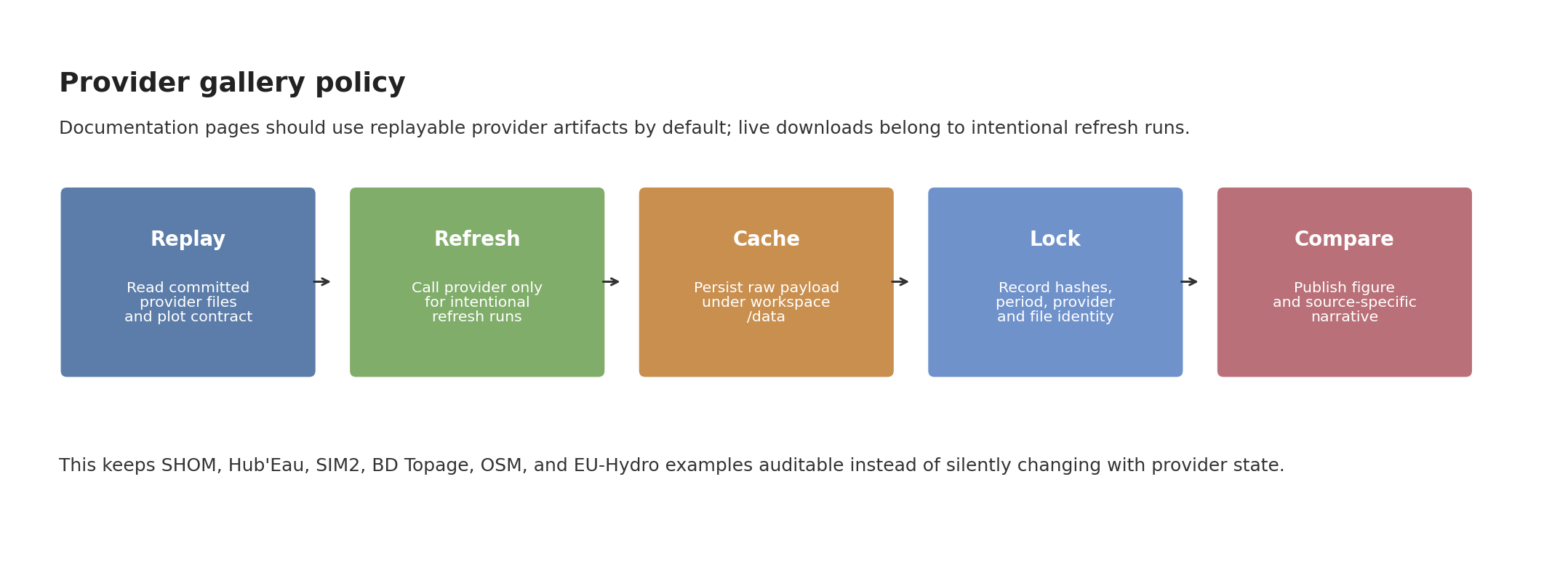
Fig. 49 Provider-specific pages should show replayable artifacts by default. When a live API refresh is needed, the refreshed payload should be cached, locked, and only then promoted to a documentation figure.#
The documentation hydrography comparison follows the same discipline with a small explicit refresh script. It writes provider GPKG artifacts plus a JSON manifest containing feature counts, lengths, sizes, and SHA-256 hashes:
python docs/source/user_guide/data/refresh_hydrography_provider_replays.py --case couesnon --providers bdtopage osm euhydro
The normal figure renderer then reads those files without touching the network.


Inspect and repair the cache#
hmp data ls --workspace ~/hydromodpy
hmp data ls --workspace ~/hydromodpy --variable hydrometry
hmp data ls --workspace ~/hydromodpy --provider hubeau
hmp data check --workspace ~/hydromodpy
hmp data check --workspace ~/hydromodpy --fix
Use cleanup commands deliberately:
hmp data remove --workspace ~/hydromodpy --variable recharge --provider sim2
hmp data prune --workspace ~/hydromodpy --older-than 90
hmp data prune --workspace ~/hydromodpy --older-than 90 --delete-files
--delete-files removes underlying cached files as well as catalog entries.
Without it, the catalog is cleaned but files are left on disk.
Lock the cache#
The lockfile records the file identity of the artifacts one project replays.
Use it after a data overview run or before archiving a project. --project
names the lockfile, --workspace names the cache it is scanned from:
hmp dev lock update --project ~/hydromodpy/projects/nancon
hmp dev lock verify --project ~/hydromodpy/projects/nancon
Run from inside the project directory, both flags can be omitted: the project
root is the nearest ancestor holding project.toml, and the workspace is the
one holding that project.
--frozen checks the project lockfile before the run starts: a SHA-256 drift
on any tracked input aborts before the first step, whatever the workflow.
hmp run examples/projects/05_nancon_data_overview/config_overview.toml --frozen
On a simulation workflow the constraint also holds for the whole run: the
cache refuses a miss and refuses any entry absent from the lockfile instead of
downloading again. It is released when that run ends, so a later workflow in
the same process is never silently frozen too.
Use frozen mode for CI, teaching material, and any result that must be replayable without silent downloads.
Archive and restore#
Two command families can create portable data archives:
hmp data archive --workspace ~/hydromodpy data-cache.tar.gz
hmp data restore --workspace ~/hydromodpy data-cache.tar.gz

hmp dev lock archive --workspace ~/hydromodpy locked-data.tar.gz
hmp dev lock restore --workspace ~/hydromodpy locked-data.tar.gz
Use hmp data archive when you want a cache archive. Use hmp dev lock archive
when the lockfile identity is the contract you want to move with the artifacts.
The archive carries its own manifest of the cache it was built from, so those
two take --workspace only; no project lockfile is read or written.
Manual ingestion#
Power users can register one file explicitly:
hmp data add data/hydrometry/station.csv \
    --workspace ~/hydromodpy \
    --type hydrometry \
    --provider custom \
    --crs EPSG:4326 \
    --unit m3/s \
    --station-id J1234010
Add --frozen when the file must already match an existing lockfile entry.
The entry is looked up in <project>/hydromodpy.lock, and --project
names that project, so the check works from outside it too:
hmp data add data/hydrometry/station.csv \
    --workspace ~/hydromodpy \
    --project ~/hydromodpy/projects/nancon \
    --type hydrometry \
    --frozen
Without --project the lockfile is the one of the project the command runs
from. --workspace only ever names the cache the file is ingested into.
Recommended policy#
Situation |
Policy |
Commands |
|---|---|---|
Exploration |
Let API managers populate the cache. |
|
Reproducible example |
Lock once the figures and data are accepted. |
|
Offline validation |
Restore locked artifacts before running. |
|
Provider refresh |
Refresh one source intentionally. |
Add |
See also#
[data] DataManagersConfig for the
force_refreshfield named in the table above, set on one source block at a time.Provider Replay Cases for the same replay-then-refresh-then-lock policy applied to provider-specific figures.
Retrieval Workflow for the run that first populates the cache this page inspects and repairs.
Troubleshooting for the
payload_dir not foundandNo .hmp archiveerrors that the inspect and repair commands above address.Data Managers And External Dependencies for the cache and
force_refreshcontract enforced by the data-manager root layer.